Introduction
There’s something incredibly satisfying about seeing an LED light up because of a circuit you built yourself. I still remember building my first simple electronic circuit. It wasn’t perfect, and I had to reconnect the wires more than once, but the moment it worked, I was hooked.
The good news is that you don’t need to be an engineer or own expensive tools to get started. With just a few basic electronic components like a battery, resistor, LED, and breadboard, you can build your first working circuit and begin understanding how electricity flows through electronic devices. Simple, hands-on projects are widely recommended because they help beginners understand electronic components and circuit fundamentals much faster than theory alone.
In this beginner-friendly guide, I’ll show you how to build a simple electronic circuit step by step, explain the purpose of each component, and share practical tips to help you avoid common mistakes.
What is an Electronic Circuit?
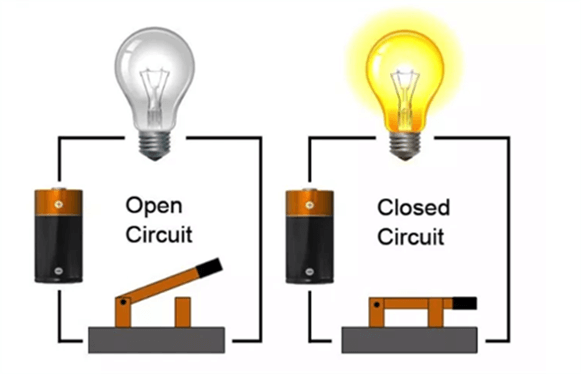
An electronic circuit is a path through which electrical current flows. It consists of components that work together to perform specific functions. The basic components of a circuit include:
- Power Source: Provides the energy (e.g., batteries).
- Conductors: Wires that carry the current.
- Load: Devices like LEDs or motors that use the current.
- Switch: Controls the flow of electricity.
Understanding these basic electronic circuit components is crucial for building functional circuits.
Now, we are going to understand some important electronic components.
💡 Learn More: Check out our Basic Electronic Components Guide.
Tools and Materials Required
To get started, you’ll need some essential tools and materials:
Tools:
- Multimeter (for measuring voltage, current, and resistance).
- Breadboard (for prototyping circuits without soldering).
- Soldering iron (for permanent connections).
- Wire cutter and stripper.
Components:
- Resistors
- Capacitors
- LEDs
- Wires
- Batteries
These tools and materials form the foundation for tools for building electronic circuits and are part of every beginner’s guide to circuit components.
Understanding Circuit Diagrams
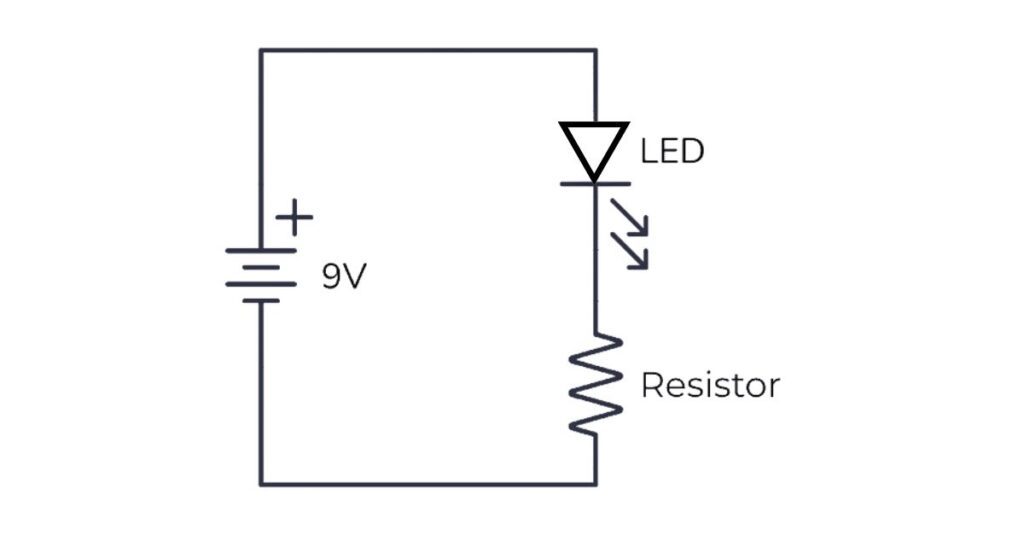
Circuit diagrams are like blueprints for building circuits. They use standardized symbols to represent components and connections.
Common Symbols:
- Resistor: Zigzag line.
- LED: Triangle with an arrow and two lines.
- Battery: Two parallel lines (one longer than the other).
Here’s an example of a basic circuit diagram for an LED:
Step-by-Step Guide to Building a Simple Circuit
a) Planning Your Circuit
Start with a simple project. For example, build an LED circuit with a switch.
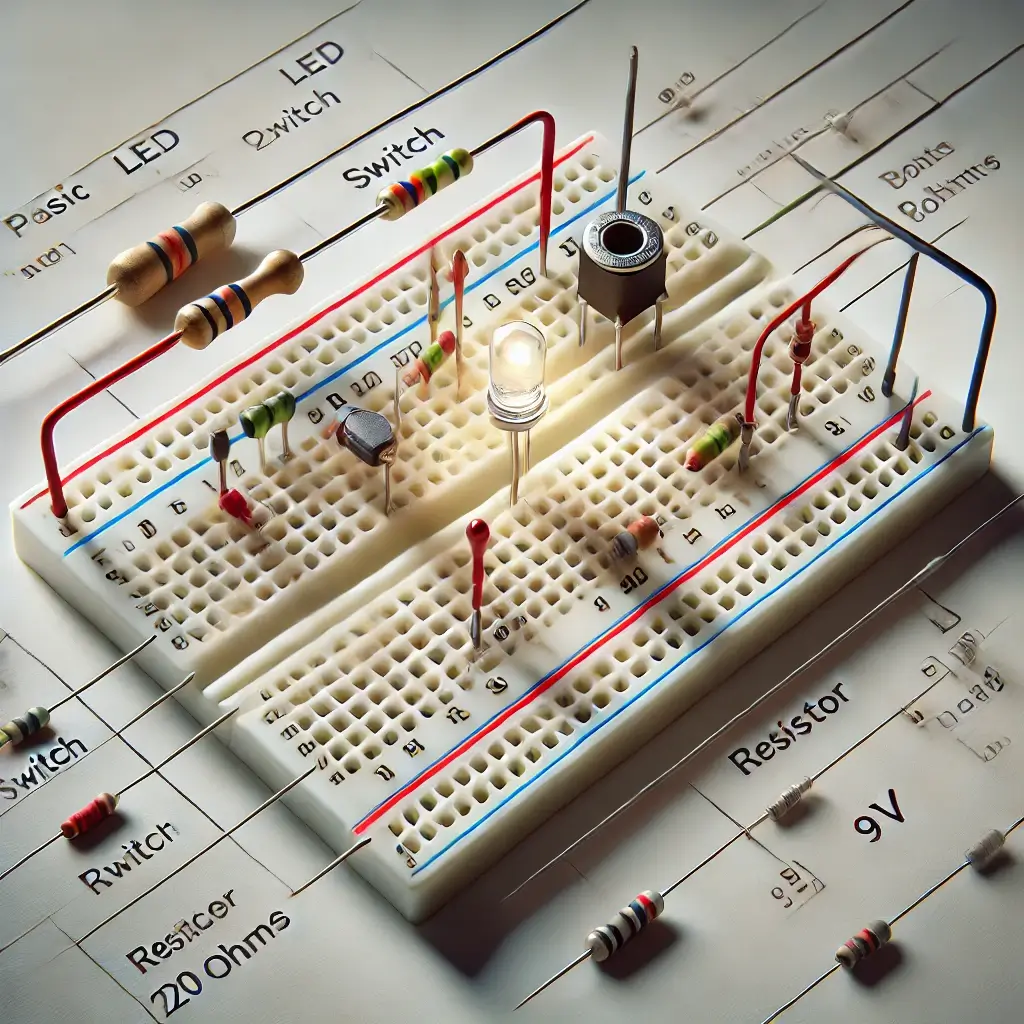
b) Assembling Components on a Breadboard
- Understand the breadboard layout: Rows and columns are interconnected.
- Insert the battery leads into the power rails.
- Connect the resistor to limit current and prevent LED damage.
- Place the LED and connect it to the switch.
c) Testing the Circuit
- Use a multimeter to check voltage across components.
- If the circuit doesn’t work, recheck connections.
d) Optional: Soldering for Permanent Circuits
If you want a durable circuit:
- Solder components onto a printed circuit board (PCB).
- Ensure solder joints are clean and secure.
By following these steps, you’ll understand how to build an LED circuit and troubleshoot testing electronic circuits for beginners.
Want to dive deeper into this? Check out our Beginner’s guide: Introduction to Breadboard.
Example Projects for Beginners
Here are some easy beginner electronics projects to try:
- Blinking LED Circuit: Use a 555 timer IC to make an LED blink.
- Buzzer Circuit: Build a simple buzzer using a piezo element.
- Fan Control Circuit: Use a potentiometer to adjust the speed of a small fan.
These easy DIY circuits will help you gain confidence and practice.
A Lesson I Learned from My First Circuit
When I built my first circuit, I was convinced I had connected everything correctly but the LED wouldn’t turn on. After checking each connection, I realized I’d inserted the LED the wrong way around. It was a simple mistake, but it taught me one of the most important lessons in electronics: even the smallest detail can make the biggest difference.
If your first circuit doesn’t work immediately, don’t get discouraged. Troubleshooting is part of the learning process, and every mistake helps you understand electronics a little better.
Conclusion
Building your first electronic circuit is more than just connecting a few components; it’s the first step toward understanding how modern electronics work. Once you’ve successfully completed a simple circuit, you’ll have the confidence to experiment with LEDs, sensors, buzzers, and even microcontroller projects.
I still believe the best way to learn electronics is by building, testing, and improving one circuit at a time. Every project teaches you something new, and before long, you’ll be creating circuits that once seemed impossible.
FAQs
-
What is the easiest circuit for a beginner to build?
A basic LED circuit with a resistor and switch is a good starting point.
-
How do you test a circuit with a multimeter?
Measure voltage across the power supply and current through the load to ensure proper functioning.
-
Why is my circuit not working?
Check for loose connections, incorrect polarities, or faulty components.
-
Is it safe to build a circuit at home?
Yes, building simple circuits is generally safe, especially with low-voltage batteries like a 9V. Always disconnect the power source before making adjustments and follow safety tips.
-
What’s the difference between a breadboard and a circuit board?
A breadboard is a reusable platform used for testing and learning circuit connections without soldering, while a circuit board is a permanent, soldered platform used in finished electronic devices.